
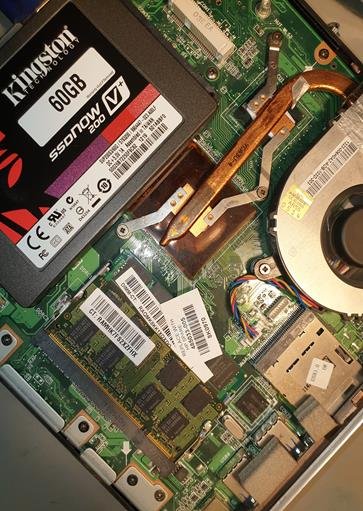
When it comes to SSD vs HDD data recovery, the two types of storage behave very differently — and understanding why could make all the difference if you ever lose important files. Both SSDs and HDDs can fail, but when it comes to getting that data back, your chances of success, the cost, and the urgency involved can vary significantly depending on which type of drive you have.
How HDDs Store Data (And Why Recovery Is Often Possible)
A traditional hard disk drive (HDD) works a bit like a very precise record player. Inside the sealed metal casing are one or more circular magnetic platters that spin at high speed, while a tiny read/write head moves across the surface to read and write data. Your files are encoded magnetically — essentially patterns of positive and negative charges laid down on the platter surface.
Here’s the key thing for data recovery: when you delete a file on an HDD, or even format the drive, the data isn’t immediately wiped. The operating system simply marks that space as available to be overwritten. Until new data is written on top of it, your files are still physically there on the platters.
This is why HDD recovery is so often successful. Even if the drive has suffered a mechanical failure — a stuck motor, a failed read/write head — a specialist can open the drive in a controlled cleanroom environment, swap out the damaged component, and read the data directly from the platters. The files survive even when the hardware doesn’t.
How SSDs Store Data (And Why Recovery Is Harder)
Solid-state drives (SSDs) work completely differently. Instead of magnetic platters, they store data in NAND flash memory chips — tiny electronic cells that hold data without any moving parts. This makes SSDs faster, quieter, and more resistant to physical shock. But it creates a very different set of challenges when something goes wrong.
The biggest complication for data recovery is something called the TRIM command. Here’s a simple way to think about it: when you delete a file on an HDD, the drive just puts a sticky note over it saying “this space is free.” The data is still there underneath. But when you delete a file on an SSD with TRIM enabled, the drive actively clears that space right away — it scrubs the data as a background task, ready for the next write. By the time you realise you’ve deleted something important, the data may already be gone at a hardware level.
There’s also the silent failure problem. HDDs often give warning signs before they fail — clicking sounds, grinding noises, the drive becoming very slow. SSDs fail suddenly and without warning. One moment they work fine; the next, nothing. That means there’s no grace period to copy your files off before it’s too late.
SSD vs HDD Data Recovery: The Key Differences
Here’s a side-by-side comparison of how HDDs and SSDs compare when data recovery is needed:
| Factor | HDD | SSD |
|---|---|---|
| Data remains after deletion | Usually yes | Sometimes no (TRIM) |
| Warning signs before failure | Often (noise, slowness) | Rarely — sudden failure |
| Physical damage recovery | Possible with cleanroom | Chip-off required |
| Average recovery cost | Lower | Higher |
| Success rate | 70–90% | 60–80% |
When Is Recovery Still Possible on an SSD?
SSD data recovery isn’t impossible — it just requires the right circumstances and the right expertise. Recovery is most likely to succeed in the following situations:
TRIM hasn’t run yet. If you disconnect the drive very quickly after an accidental deletion, TRIM may not have had the chance to clear the space. In this case, a specialist may still be able to retrieve the deleted files — but every second counts.
The failure is in the controller, not the chips. SSDs have a controller chip that manages how data is read and written. If this fails, the drive may stop responding — but the actual NAND flash memory chips where your data lives could be completely intact. A technique called “chip-off” recovery involves removing those chips and reading them directly using specialist equipment.
The failure is caused by a firmware bug. Some SSD failures are caused by bugs in the drive’s own firmware (the built-in software that controls how it operates). In these cases, the data may be fully intact but inaccessible because the drive can’t read itself correctly. Experienced engineers can sometimes bypass the firmware to reach the data.
What Should You Do Right Now?
If you think you’ve lost data from an SSD, you need to act faster than you would with an HDD. The clock starts the moment the drive loses power or a deletion occurs — and TRIM could be running in the background even as you read this.
Here’s what to do immediately:
- Power off the device. Don’t let the system keep running — every cycle gives TRIM more opportunity to clear data.
- Don’t copy files to the drive. Writing new data could overwrite exactly what you’re trying to recover.
- Don’t run disk repair tools. These can make things worse on an SSD, not better.
- Call us straight away. The sooner we can assess the drive, the better your chances of a successful recovery.
With an HDD, you have a bit more breathing room — but the same general principles apply. Power it off, don’t write to it, and get professional help before attempting anything yourself.
The Bottom Line
As a general rule, HDDs are easier and cheaper to recover data from than SSDs. The magnetic nature of hard drive storage means your data often survives even serious hardware failures, and established recovery techniques have been refined over decades. SSDs present a harder challenge — particularly when TRIM has already run — but recovery is far from impossible with the right expertise and the right speed of response.
Whatever type of drive you have, the most important thing you can do is act quickly and call a professional. At Mojoo Limited, we’ve been recovering data for over 25 years, serving customers across West Bromwich, Birmingham, and the wider West Midlands. We offer a free diagnosis, a no data, no fee guarantee, and honest advice at every step.
Worried about your drive? Find out more about our hard drive recovery service, learn about SSD data recovery, or visit our main data recovery page. You can also call us directly on 07958 468 173 — we’re available Monday to Friday 9am–6pm, Saturday 9am–12pm.
