Category: Uncategorised
Merry Christmas everyone and happy new 2024 🪄

The Xeon processors offer several advantages over standard i5 or i7 processors. It is designed for server and workstation environments, emphasizing stability and multitasking capabilities. Some benefits include:
- Multithreading and Cores: The Xeon E5-2690 V2 typically has more cores and supports more threads than consumer-grade i5 or i7 processors. This allows for better parallel processing and improved performance in multi-threaded applications.
- ECC Memory Support: Xeon processors often support Error-Correcting Code (ECC) memory, enhancing system stability by detecting and correcting memory errors. This is crucial in server environments where data integrity is paramount.
- Extended Reliability: Xeon processors are built for 24/7 operation and have features like Intel Run Sure Technology, providing enhanced reliability and error recovery capabilities.
- L3 Cache Size: The Xeon E5-2690 V2 usually has a larger L3 cache, which can positively impact performance in certain workloads by reducing latency and improving data access speeds.
Comparable processors to the Xeon E5-2690 V2 include other Xeon E5 series models and some high-end consumer-grade processors. For example:
- Xeon E5-2680 V2: A slightly lower-clocked variant of the same generation.
- Xeon E5-2697 V2: Offers more cores and a higher clock speed, suitable for demanding server tasks.
- Intel Core i7-5960X: A consumer-grade processor with high core count and performance, suitable for enthusiast-level desktop computing.
- Intel Core i7-8700K: A high-performance consumer-grade processor, more focused on gaming and general computing compared to Xeon’s workstation/server orientation.
The choice between a Xeon and a standard i5 or i7 depends on your specific use case. If you require stability, multitasking capabilities, and ECC memory support for server or workstation tasks, the Xeon may be more suitable. Consumer-grade i5 and i7 processors are often preferred for gaming and general desktop use due to their cost-effectiveness and high single-threaded performance.
So if you prefer the stability and higher performance for CAD or multitasking for graphics and video editing work then why not ask for a Xeon power workstation PC build
Cooling the Flames: The Importance of Servicing Overheating Gaming Laptops
Gaming laptops are powerful beasts designed to handle graphics-intensive tasks, but with great power comes the potential for overheating. When your gaming laptop starts to feel like it’s about to take off, it’s a clear sign that it’s time for some maintenance. In this post, we’ll explore the reasons behind overheating in gaming laptops and the benefits of having them professionally serviced.
Why Gaming Laptops Overheat:
- Intense Gaming Sessions:
The very nature of gaming involves pushing a laptop’s hardware to its limits. Extended gaming sessions generate heat, and without proper cooling mechanisms, the internal components can reach temperatures that impact performance. - Dust Accumulation:
Over time, dust and debris can accumulate inside your laptop, clogging up cooling vents and fans. This hinders the airflow necessary for effective heat dissipation, causing the laptop to overheat. - Aging Thermal Paste:
Thermal paste, a crucial component for heat transfer between the CPU/GPU and the heatsink, tends to degrade over time. As it breaks down, the efficiency of heat dissipation diminishes, leading to increased temperatures.
Benefits of Professional Servicing:
- Enhanced Performance:
Regular servicing ensures that your gaming laptop’s cooling system operates at peak efficiency. This results in better overall performance and prevents thermal throttling, which can occur when components automatically reduce their speed to cool down. - Extended Lifespan:
Overheating can significantly shorten the lifespan of your laptop’s components. Professional servicing helps prevent premature hardware failure, allowing you to enjoy your gaming laptop for years to come. - Dust Removal:
Technicians can carefully clean out accumulated dust and debris, restoring optimal airflow. This simple yet effective step can make a substantial difference in temperature regulation. - Thermal Paste Replacement:
Replacing aging thermal paste with a fresh application ensures optimal heat transfer, reducing the risk of overheating. This small but crucial step is often overlooked and can have a significant impact on temperature management.
Conclusion:
Investing in the professional servicing of your overheating gaming laptop is a smart move for any avid gamer. Not only does it keep your device running smoothly, but it also safeguards your investment in high-performance hardware. By addressing the root causes of overheating, you can enjoy extended gaming sessions without worrying about your laptop turning into a portable oven. Keep it cool, and keep the gaming experience at its best!
Contact Mojoo LTD today and get your gaming laptop serviced


New Gaming PCs from £799
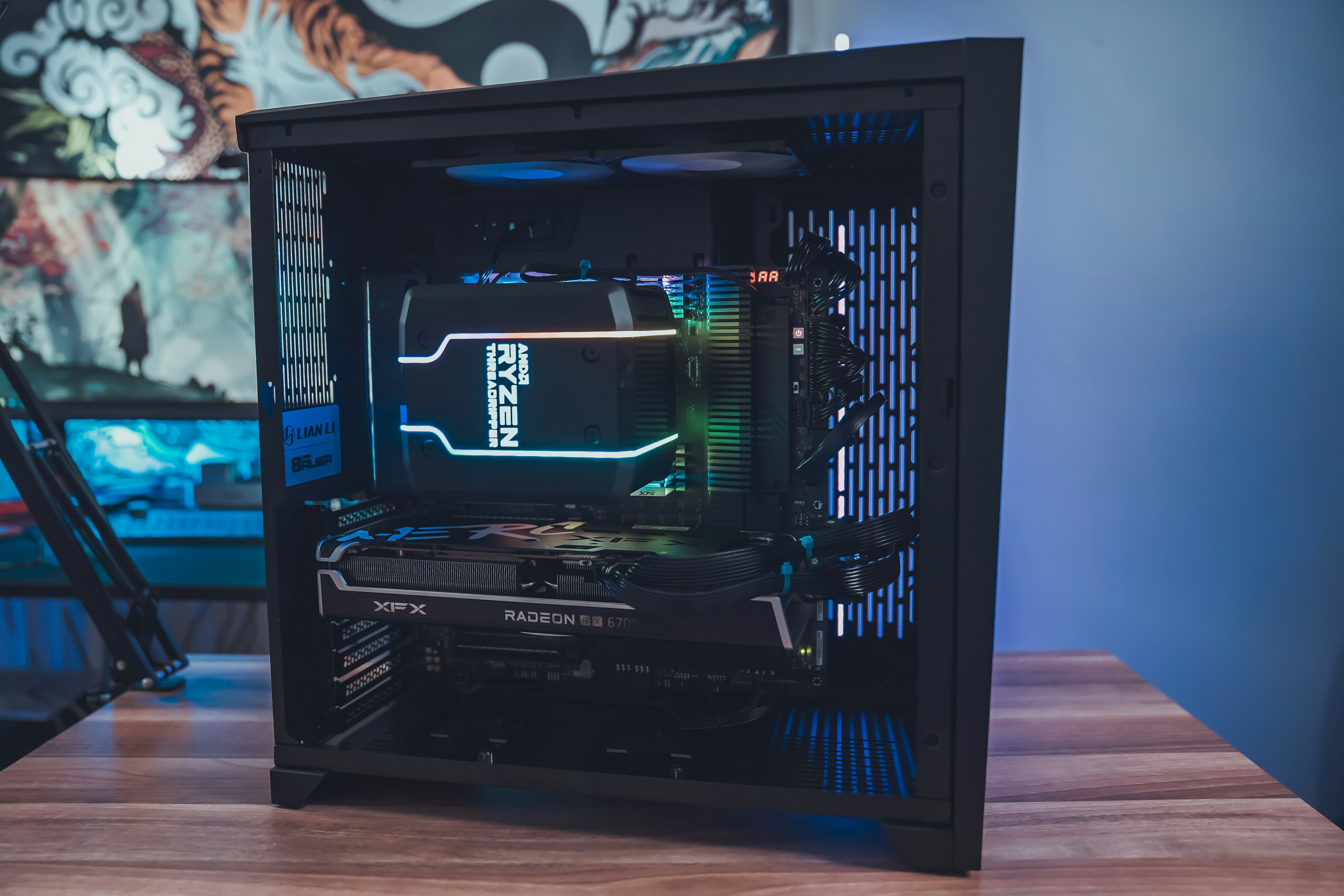
you can either select a ready made gaming PC or have one built to your preferred specification, we have some nice cases that look great, contact us today on 0795868173
Hello world!
Welcome to WordPress. This is your first post. Edit or delete it, then start writing!